There have been multiple breaches in the news recently, headlined by the hack of the Office of Personnel Management (OPM) that exposed the information of potentially 18 million people at last tally. It was also recently announced that Blue Shield of California had also experienced a minor breach that affected 843 individuals through a coding error on one of their secure web sites. Within the past month, other notorious events included breach alerts from password manager LastPass and the Houston Astros, a professional MLB club.
While the cause may be different (or still unknown) for each of these events, they can all serve one purpose for any organization: take security seriously. Potential risks exist internally and externally for any organization that maintains or processes important and valuable data such as electronic Protected Health Information (ePHI). With the black market value of health records on the rise, it is imperative for all organizations to make efforts to ensure the confidentiality, integrity, and appropriate availability of sensitive data.
Straightforward steps towards building or maintaining a successful security program always start with a Risk Analysis. Without quantifying the potential risks to your organization, it is difficult to make informed decisions, especially when trying to purchase the right tools or delegate your workforce efforts. The next step is generally to analyze your policies and procedures. These documents state your organizations intent to comply with applicable regulations or frameworks. Maintaining up-to-date procedures is important for ensuring continuity in all of your regular processes and saves valuable time. Once each of the above has been addressed, it is then time to train your workforce. This accomplishes a number of goals including increasing the effectiveness of security controls, improving workforce efficiency, and protecting the organization in the event of a breach or other security incident.
These are just the first steps towards building a security program; there are a number of other technical, administrative, and physical controls that must be implemented to avoid breaches and comply with the standards and regulations of your industry. However, without these building blocks for long-term success, it might not be farfetched to find your organization on the OCR’s Wall of Shame.
To find help with a third-party Risk Analysis, policies and procedures, training, or any other security controls, contact RISC Management & Consulting today!
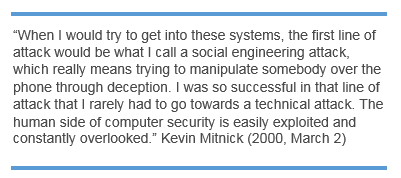
 The attacker might send a false e-mail often that look surprisingly legitimate, and may seem valid. However, it is important to view the URL in the address field which can tell you if the page you have been directed to is not valid. The email might come from a credit card company requesting you to respond and might often come from other types of organizations such as charities during a natural disaster, holidays, etc. Some phishing attacks involve a phone call directly to the target, where the attacker often claims to be another employee, perhaps calling from the I.T. Helpdesk.

 RISC Management and Consulting
You must be logged in to post a comment.